H. Idris / Game UI/UX Designer

A fantasy RPG pixel font · v1.001

Lorewick

Give your adventure a voice. Lorewick is a 7-pixel medieval-serif font built for dialogue boxes, menus, quest logs and title screens.

OTF · TTF · WOFF2 · Game engine pack · Commercial license included

Type tester

Try it with your own words

Every row is a whole multiple of 10 px, the sizes where Lorewick is pixel-perfect.

10 px 1×

Welcome, traveler! The old king's crown was lost in the Whispering Woods.

20 px 2×

Welcome, traveler! The old king's crown was lost in the Whispering Woods.

30 px 3×

Welcome, traveler! The old king's crown was lost in the Whispering Woods.

40 px 4×

Welcome, traveler! The old king's crown was lost in the Whispering Woods.

This preview covers Basic Latin and the icons. The full font adds every accented letter and symbol.

Styles
Regular, Bold, Italic, Bold Italic
Characters
403 per style
Grid
7 px capitals
Icons
28 typeable
Formats
OTF, TTF, WOFF2, BMFont
Updated
23 October 2026

Features

Made for game interfaces

A 7-pixel medieval-serif font built for dialogue boxes, menus, quest logs and title screens, with 28 RPG icons you can type like letters.

01

2 styles

Regular for dialogue and body copy, Bold for names, titles and anything that has to win a fight for attention.

02

403 characters per style

A–Z, a–z, numbers, punctuation and symbols, with the accented letters Western and Central European languages need.

03

28 RPG icons you can type

Hearts, mana, stars, coins, gems, potions, keys, chests and controller buttons, sitting on the baseline like any other letter.

04

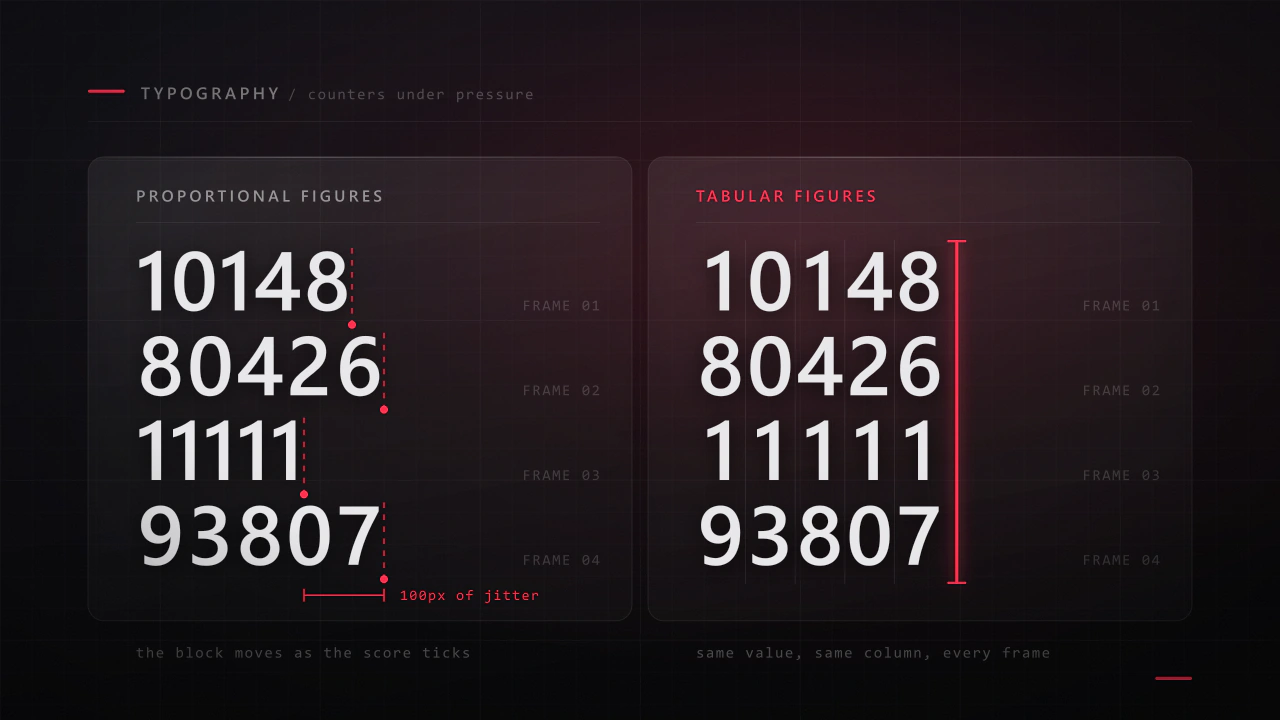
Fixed-width numbers

Every digit is the same width, so scores, timers and gold counters never jiggle as they change.

05

Pixel-aware kerning

Awkward pairs are tightened by whole pixels, never fractions, so spacing stays even and edges stay crisp.

06

Pixel-perfect at 10, 20, 30, 40 px…

One font pixel is one screen pixel at 10 px, a 2 × 2 block at 20 px, and so on at every multiple of 10.

Built-in icons

28 icons you can type

Each icon is a character in the font. Click one to copy it, then paste it into anything set in Lorewick.

Hearts & stats

Items & loot

Controller buttons

How Lorewick was designed

Why I made it

Fantasy games ask two opposite things of a pixel font, and as a UI designer I run into that on every RPG screen. The title wants character, something that feels hand-lettered and a little storybook. The dialogue box wants the opposite: paragraph after paragraph that a player can read quickly at a tiny size without ever thinking about the type.

Most pixel fonts pick one side. The clean ones read well but feel like a computer terminal, and the ornate ones look great right up until there are three lines of quest text in them. I wanted one family that could carry the whole interface, from the title screen down to the gold counter, so that's what I set out to make.

Seven pixels, with serifs

I settled on capitals seven pixels tall and a lowercase of five. Every stroke is one pixel wide, so the insides of the letters stay open even at the smallest size, and the serifs are single pixels too. That's just enough to give the letters a storybook voice without clogging them up.

Bold wasn't just Regular made thicker. I gave it its own details: dots and accents are 2 × 2 pixels, and I redrew the small marks that clog first, like superscripts and the asterisk, so names and headings stand out without the letters closing up into blocks.

Every point sits on the pixel grid, and that's what makes it pixel-perfect at 10, 20, 30 and 40 px. At 10 px one font pixel is exactly one screen pixel, and every multiple of 10 simply scales it by a whole number.

Built for the HUD, not just the page

Game text changes while the player is looking at it, which you learn quickly when you design HUDs. So all ten digits share one width, six pixels in Regular and seven in Bold, and a score ticking up or a timer counting down never nudges the numbers next to it.

The icons are the part I'd point to first. They're characters in the font rather than a separate sprite sheet, so a line like “3 hearts, 120 coins, press A” is just text: it wraps, aligns and gets translated along with everything around it. Hearts and stars also work with the standard ♥ ♡ ★ ☆ symbols.

How I tested it

A font ends up inside other people's games, in places I'll never see, so I tested it the way I'd test code. Both styles pass the OpenType Sanitizer that Chrome and Firefox use, and Font Bakery reports no failures.

I also set every pair of letters and punctuation, 83,521 per style, and checked them for collisions, including the accented letters, which got over 1,350 kerning pairs of their own. None of them touch. Kerning ships twice, as modern OpenType kerning and as a classic kern table for older engines, and I validated the bitmap fonts and rendered them in a test engine before release.
In use

01

In a game

A title, a HUD and a dialogue box, all set in Lorewick. The heading is Bold with a drop shadow, the dialogue is Regular, and the hearts, coin and A-button prompt are typed characters from the same font.

02

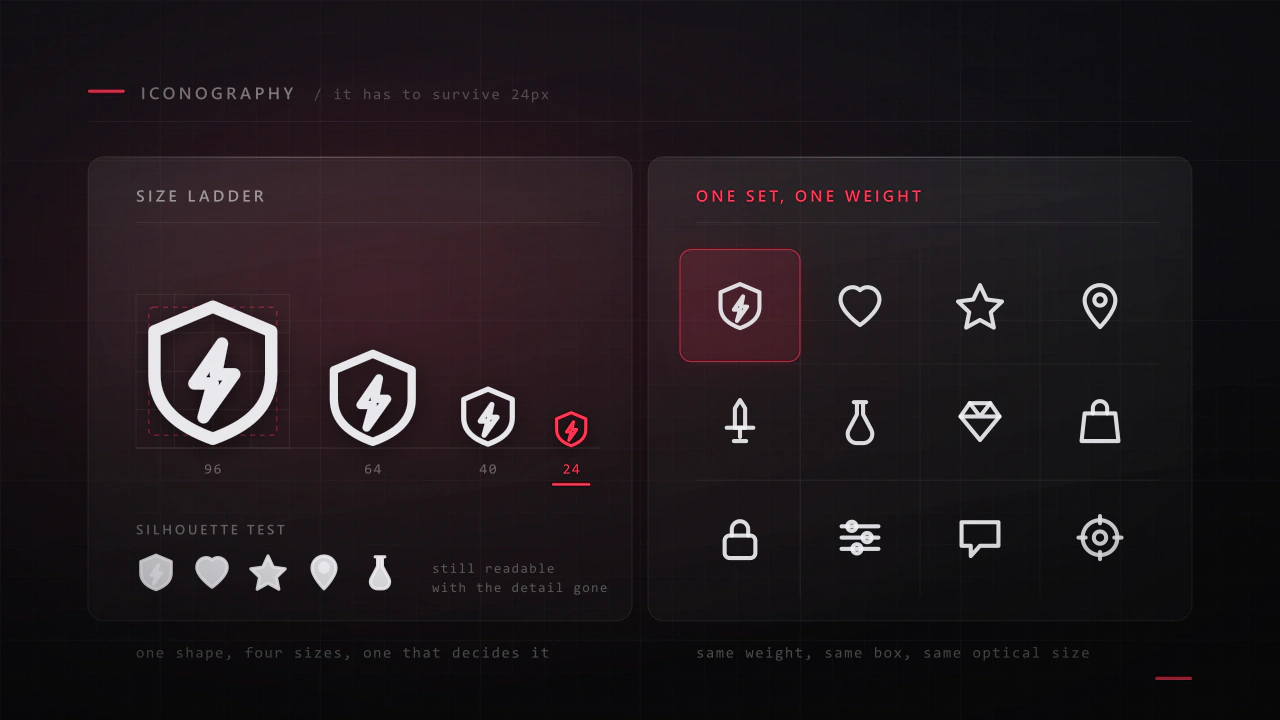
28 icons

Hearts, stats, loot and a full set of controller prompts. Each icon is a character, so it takes the colour, size and position of the text it sits in.

03

Character set

Upper and lowercase, fixed-width numbers, punctuation, currency and the accented capitals Western and Central European languages need.

04

Languages

Hungarian double acutes, Polish ogoneks, Czech carons, Romanian comma-below letters, the French œ, German ß, Danish ø and Spanish ñ, each drawn to fit the same seven-pixel line.

What you get

Everything in the download

  • Desktop fontsOTF and TTF for both styles. Use the TTFs in game engines.
  • Web fontsWOFF2 for both styles.
  • Game engine packBMFont .fnt and .xml files with PNG atlases at 1×, 2× and 4×. Godot, LÖVE, LibGDX, Defold and Phaser read them directly; Unity and MonoGame through a BMFont importer.
  • Photoshop templateAn editable hero layout with live type layers, layer effects and textures.
  • Icon cheat sheetAll 28 icons with their character codes.
  • Setup guideCrisp pixels in design apps and engines: sizes, line height and texture filtering.

License

Included with every purchase

  • Games and apps, embedded for unlimited copies sold
  • Logos, merch, videos, streams and print, with no limit on sales
  • Installed on unlimited computers: yours, your team's and your company's
  • Websites, with unlimited page views and traffic

Ask me first

  • Products where customers type their own text in the font
  • Resale in asset packs, templates or font collections

Please don't share or resell the font files. For anything the license doesn't cover, email me. idris.hadjoudj@gmail.com

FAQ

Before you buy

How do I get perfectly crisp pixels?

Use sizes that are multiples of 10 px (10, 20, 30, 40…), turn anti-aliasing off where your app or engine allows it, and place text on whole pixels. The bitmap fonts in the engine pack are pixel-exact at 1×, 2× and 4×.

Which game engines does it work in?

Any engine that loads TTF files, including Godot, Unity and GameMaker. The bitmap fonts work directly in Godot, LÖVE, LibGDX, Defold and Phaser, and in Unity and MonoGame through a BMFont importer.

How do I type the icons?

They live in the Unicode Private Use Area, from U+E000 to U+E02B, so in most code you write them as an escape such as \uE000. The cheat sheet lists every code, and you can copy any icon straight from the grid on this page. They show as icons only when Lorewick is the active font.

Can I use it in a game I sell?

Yes. Commercial games and apps are included with no limit on copies sold, as long as the font files are packaged inside the game rather than handed to players as installable fonts.

Which languages does it support?

Western and Central European languages written in the Latin alphabet, including French, German, Spanish, Portuguese, Italian, Dutch, the Nordic languages, Polish, Czech, Slovak, Hungarian, Romanian, Croatian and Turkish.

Give your game a voice in Lorewick.

Contact

Have a game that needs an interface?

Menus, HUDs, full UI systems or a single screen that isn't working. Tell me what you're building and I'll tell you honestly whether I'm the right fit.

Email
Discord
Résumé Download PDF
Based Remote, worldwide